3. Clone repository
On your repository page, click the Clone button in the top right corner. Click the Copy icon to copy the clone command.
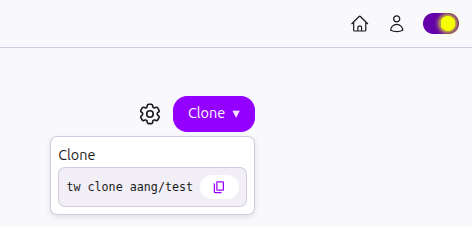
Open your terminal. Navigate to the folder where you want to clone your repository and paste the command you just copied.
tw clone <YOUR-USERNAME>/<YOUR-REPO-NAME>
Twigg will ask for your CLI Key. The server uses it to know who you are. To generate a CLI Key:
- Go to User settings
- Scroll to the bottom and click on
Generate New Keybutton.

- Your CLI Key (tw_key_...) will be displayed. Copy it immediately. It won’t be shown again.
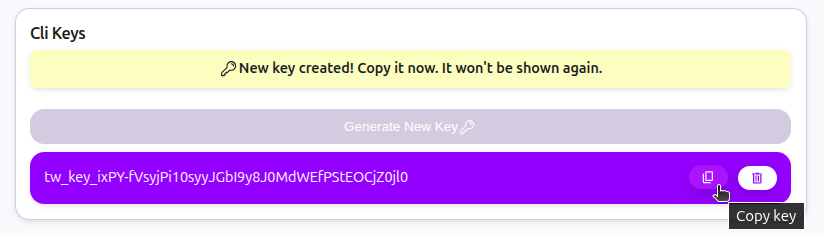
- Go back to your terminal and paste the Key you just copied.
$ tw clone <YOUR-USERNAME>/<YOUR-REPO-NAME>
What's your CLI key? (get it under /user-settings)
<PASTE YOUR CLI KEY>